
Why WordPress Is Superior to Squarespace—Especially with a Great Page Builder
When comparing WordPress to Squarespace, the argument becomes particularly strong when WordPress is paired with a high-quality visual page builder such as Avada (our favorite & recommendation), Elementor, Bricks, Beaver Builder, Divi, or a comparable tool.
Squarespace is a good platform for someone who wants a relatively simple, contained website-building experience. But WordPress with a capable page builder gives you that same visual design convenience—while offering substantially more flexibility, ownership, control, scalability, and marketing capability.
The strongest argument isn’t simply that WordPress has more features. It’s that WordPress gives you the convenience of a visual website builder without locking you into the limitations of a closed website-building ecosystem.
TL;DR: The Five Biggest Advantages
- Design Without Limitations — Create a truly custom website, not a variation of a template.
- Marketing Without Restrictions — Integrate CRM, automation, analytics, SEO, and lead-generation tools.
- Growth Without Rebuilding — Expand the website’s functionality and content as the business evolves.
- Ownership Without Platform Lock-In — Retain control over your website, data, hosting, and technology.
- Visual Simplicity With Professional Power — A great page builder eliminates much of the technical complexity while preserving WordPress’s enormous capabilities.
The bottom line: WordPress with a great page builder delivers the ease-of-use people want from Squarespace, while offering capabilities that Squarespace simply cannot match. And it’s crazy affordable, especially with us at the helm.
1. Design Freedom and Creative Control
This is where the combination of WordPress and a powerful page builder really changes the comparison.
| WordPress + Page Builder | Squarespace |
|---|---|
| Build virtually any layout you envision | Work within the platform’s design framework |
| Design individual page layouts independently | More reliance on predefined structures and design conventions |
| Create custom headers, footers, menus, and navigation | More constrained site-wide design options |
| Build unique landing pages for different audiences | More difficult to create highly customized layouts |
| Control spacing, typography, animations, layering, positioning, and responsive behavior | Customization is available, but with more platform-defined limitations |
| Create custom templates for different content types | More reliance on built-in page and collection templates |
| Design completely different experiences across sections of a website | Greater consistency, but less freedom to break from platform conventions |
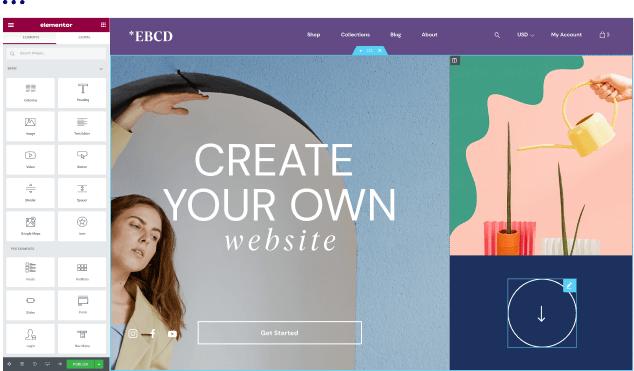
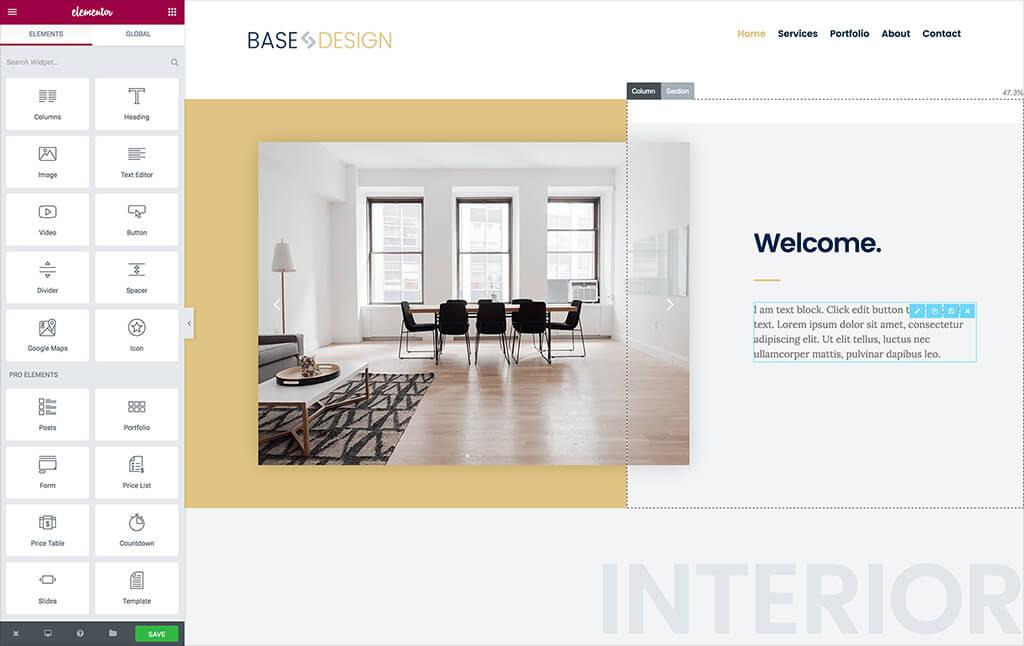
A good page builder removes much of the traditional WordPress design learning curve. You no longer have to know PHP, CSS, or HTML just to build a beautiful website. You can drag, drop, edit, preview, and adjust visually.
And unlike a closed website builder, you aren’t confined to the layouts, components, or design rules the platform has decided to make available.
Why This Matters
You can create a website that looks like a completely custom-designed, professionally developed website—not like a Squarespace website that has been customized.
2. Virtually Unlimited Functionality
WordPress isn’t just a website builder. It is a full content management system and extensible application platform.
You can add functionality through plugins, integrations, custom development, APIs, or a combination of all four.
- CRM integrations
- Marketing automation
- Advanced forms
- Appointment scheduling
- Membership portals
- Customer portals
- Online courses and learning management systems
- Ecommerce
- Product configurators
- Directories
- Search functionality
- Filtering and faceted search
- Calculators and interactive tools
- Quoting systems
- Job boards
- Event registration
- Custom dashboards
- Customer account areas
- Subscription services
- Online communities
- Loyalty and rewards programs
- Chatbots and AI integrations
- Automated content workflows
- Custom database-driven applications
Squarespace has built-in functionality and extensions, but WordPress gives you a much larger ecosystem and the ability to develop almost anything that isn’t already available.
With WordPress, if a feature doesn’t exist, you can build it. You’re not limited to waiting for Squarespace to develop it.
3. Better SEO Capabilities and Control
WordPress offers a much deeper level of control over SEO—particularly for businesses that take organic search seriously.
More Control Over:
- SEO title tags
- Meta descriptions
- Canonical URLs
- XML sitemaps
- Robots directives
- Indexing controls
- Structured data and Schema.org markup
- Breadcrumbs
- Internal linking
- URL structure
- Redirect management
- Taxonomies and content organization
- Open Graph metadata
- Image optimization
- Technical SEO
- Content optimization
- Local SEO
- Programmatic SEO
- Search-focused landing pages
With tools such as Yoast, Rank Math, AIOSEO, custom schema implementations, and specialized plugins, you can create a much more sophisticated SEO strategy.
SEO isn’t just about editing the title of a page. It’s about controlling the technical architecture of the website, how content is structured, how search engines crawl it, how pages relate to each other, and how you build topical authority over time.
WordPress gives you much greater control over all of those variables.
4. Better for AI Search and Generative Engine Optimization (GEO)
As businesses increasingly focus on visibility in ChatGPT, Gemini, Perplexity, Google AI Overviews, and other AI-powered search experiences, website flexibility becomes increasingly important.
WordPress provides more opportunities to implement and control:
- Structured data and entity markup
- Organization, Person, Product, Service, FAQ, Article, and other schema types
- Author profiles and expertise signals
- Topic clusters and content hubs
- Entity relationships
- Internal linking strategies
- Custom metadata
- Semantic content structures
- Knowledge-rich landing pages
- Frequently asked questions
- Technical crawler controls
- AI-specific integrations
- Content designed around answer extraction
- Custom feeds and content endpoints
You can also modify the underlying content and technical infrastructure as AI search requirements evolve.
Squarespace can certainly support SEO and AI visibility strategies, but WordPress allows much more granular implementation and experimentation.
5. You Own Your Website and Aren’t Locked Into One Provider
One of the biggest strategic advantages of WordPress is independence.
With self-hosted WordPress, you control:
- Your website files
- Your database
- Your content
- Your domain
- Your hosting environment
- Your themes
- Your plugins
- Your integrations
- Your development environment
If your hosting provider raises prices, performs poorly, or provides bad service, you can move.
If your developer or agency relationship changes, you can hire someone else.
If you want a different page builder, you can transition.
If you want a completely custom design, you can build one.
If your business outgrows your hosting environment, you can upgrade the infrastructure.
You are not dependent on a single SaaS company’s product roadmap, pricing decisions, or feature limitations.
Your website is an asset that you own and control—not a website rental that exists only within a proprietary platform.
6. Your Website Can Grow With Your Business
Squarespace may be perfectly adequate for a business when it first launches. But what happens when the business grows?
Perhaps you initially need:
- Five informational pages
- A contact form
- A basic blog
Three years later, you may need:
- 100+ SEO landing pages
- Multiple service categories
- Multiple locations
- A resource center
- Downloadable content
- Case studies
- A searchable portfolio
- Customer testimonials
- A product catalog
- Advanced lead generation
- Marketing automation
- CRM integrations
- Custom functionality
With WordPress, you don’t have to start over just because your business requirements have evolved.
You can add functionality incrementally and keep building on the same platform.
Scalability isn’t just about website traffic. It’s about the ability to scale your content, functionality, marketing, integrations, design, and business processes without outgrowing the platform.
7. A Much More Powerful Content Management System
WordPress has exceptionally strong content management capabilities.
You can organize content using:
- Posts
- Pages
- Categories
- Tags
- Custom post types
- Custom taxonomies
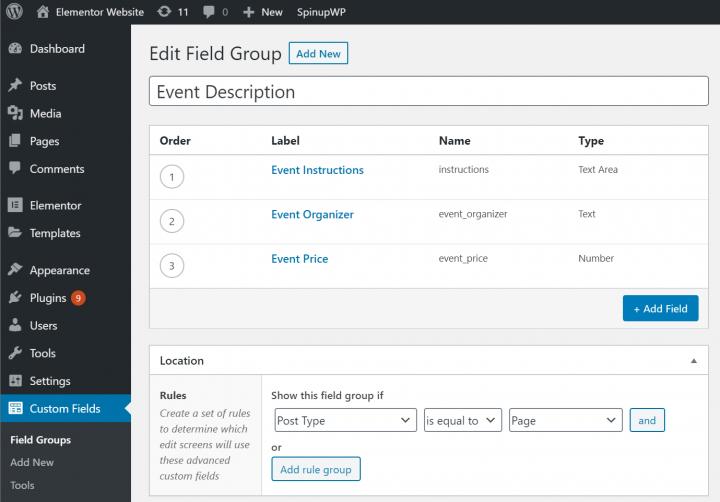
- Custom fields
- Relationship fields
- Dynamic templates
- Content archives
- Author profiles
- Reusable content blocks
- Content models
This is especially valuable for websites that need more than a collection of static pages.
For example, you can create an entire content system for:
- Products
- Services
- Industries
- Locations
- Staff
- Case studies
- Projects
- Testimonials
- FAQs
- Resources
- Events
- Partners
And then design how all of those content types are displayed using your page builder.
You can enter the content once and have it automatically populate beautifully designed pages, listings, archives, related content, and search results.
That is a fundamentally more powerful approach than manually building and maintaining every individual page.
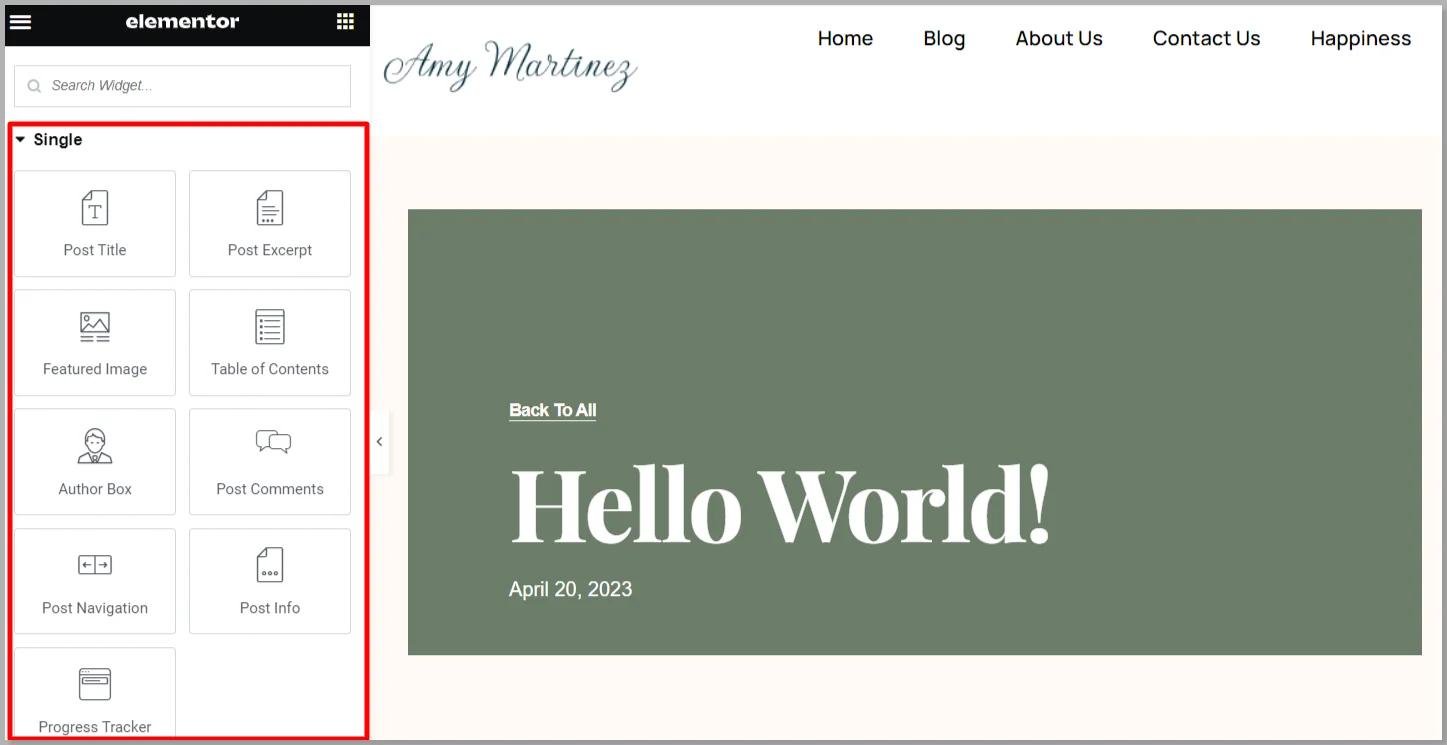
8. Dynamic Content and Reusable Templates
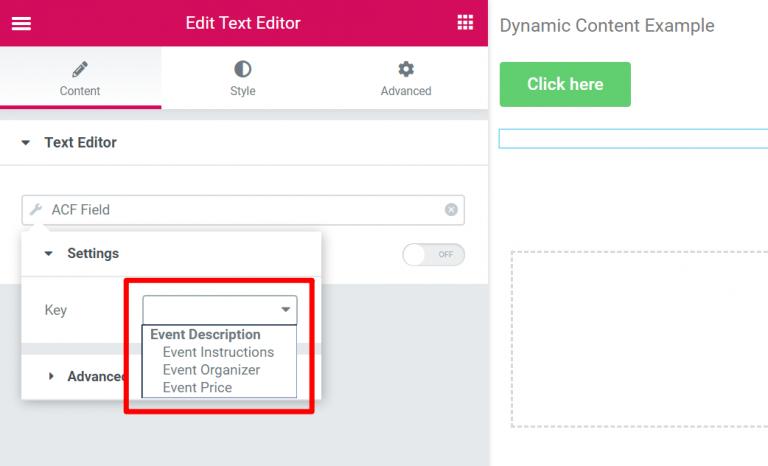
A great WordPress page builder can take this to another level through dynamic content.
Imagine designing one template for a service page.
That template automatically pulls in:
- Service name
- Description
- Hero image
- Benefits
- Features
- FAQs
- Testimonials
- Related services
- Call-to-action content
You can then create 20, 50, or 100 service pages simply by entering the content.
The same applies to:
- Product pages
- Staff profiles
- Location pages
- Case studies
- Industry pages
- Blog articles
- Portfolio items
This Means:
- Faster content creation
- Greater consistency
- Easier updates
- Less repetitive work
- Better scalability
- Lower long-term content production costs
Squarespace is designed primarily around pages and collections within its own system. WordPress allows you to build your own content architecture around the needs of the business.
9. Better Landing Pages and Conversion Optimization
WordPress with a visual page builder is particularly strong for marketing websites.
You can create highly customized landing pages for:
- Specific products
- Individual services
- Target industries
- Advertising campaigns
- Geographic markets
- Different customer personas
- Lead magnets
- Events
- Webinars
- PPC campaigns
- Email campaigns
You can control virtually every element of the conversion experience:
- Hero messaging
- CTA placement
- CTA styles
- Form layout
- Trust indicators
- Testimonials
- Social proof
- Page length
- Visual hierarchy
- Content sequencing
- Sticky elements
- Exit-intent elements
- Mobile conversion layouts
You can build a landing page that looks and functions entirely differently from the rest of the website if that is what the marketing strategy requires.
You aren’t forced to make every page fit within the same basic design conventions.
10. Much Better Integration With Marketing Technology
WordPress can integrate with virtually any marketing technology a business might use.
For example:
- HubSpot
- Salesforce
- GoHighLevel / LeadVelo
- ActiveCampaign
- Mailchimp
- Constant Contact
- Google Analytics
- Google Tag Manager
- Google Ads
- Meta Ads
- LinkedIn Ads
- Microsoft Clarity
- Call tracking
- Marketing automation platforms
- CRM platforms
- Customer data platforms
- Webhooks
- REST APIs
You can also build your own integrations.
A website can be a central part of your marketing automation ecosystem rather than an isolated online brochure.
For Example:
A visitor downloads a resource → WordPress captures the lead → the data is sent to your CRM → the contact is segmented → an automation begins → sales is notified → the visitor receives personalized follow-up.
That type of workflow is much easier to implement and customize when you control the platform and have access to its underlying architecture.
11. You Can Create a Better User Experience
A page builder gives designers and marketers the ability to create a more sophisticated UX without requiring a developer for every design change.
You can implement:
- Custom navigation systems
- Mega menus
- Sticky headers
- Interactive elements
- Accordion content
- Tabs
- Modal windows
- Custom popups
- Advanced forms
- Multi-step forms
- Interactive product displays
- Animated elements
- Custom hover effects
- Conditional content
- Personalized experiences
- Responsive layouts
- Custom mobile navigation
You can build the user experience around how your customers actually use the website instead of adapting your business to what the platform makes easy.
12. Better Responsive Design Control
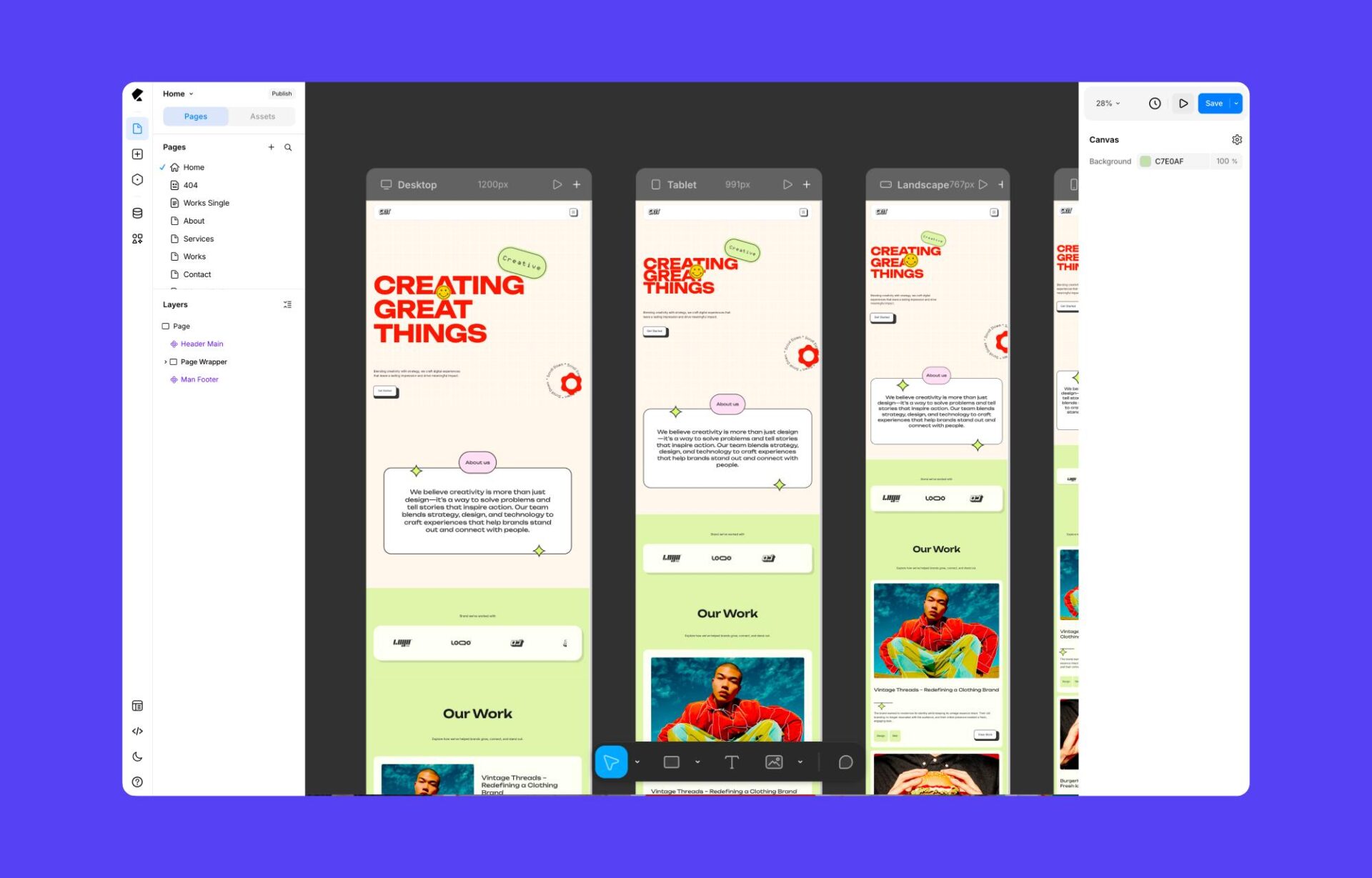
Both platforms support mobile-friendly websites, but a good page builder offers significantly more granular control over how a website behaves across devices.
You can independently adjust:
- Desktop layouts
- Tablet layouts
- Mobile layouts
- Typography
- Padding and margins
- Column structures
- Element positioning
- Visibility
- Image sizing
- Backgrounds
- Navigation
- Buttons
- Content order
- Spacing
You can even create different design treatments or content arrangements for different screen sizes.
That means you aren’t just hoping the template looks good on mobile. You can actually design and optimize the mobile experience.
13. Better Accessibility Control
Accessibility is an important consideration for business websites—and having control over the implementation can make a significant difference.
WordPress allows you to implement and customize:
- Semantic HTML
- Heading hierarchy
- ARIA attributes
- Keyboard navigation
- Focus states
- Accessible forms
- Accessible menus
- Contrast
- Alternative text
- Skip navigation links
- Screen-reader-specific content
A page builder doesn’t automatically guarantee accessibility, of course. But when combined with a knowledgeable designer or developer, WordPress offers the ability to correct issues, customize components, and build accessibility into the design system.
You aren’t limited to whatever accessibility decisions were made by the platform itself.
14. More Freedom With Ecommerce
WordPress, particularly with WooCommerce, gives businesses substantially more flexibility when ecommerce requirements become sophisticated.
You can support:
- Complex product catalogs
- Custom product attributes
- Variable products
- Subscription products
- Memberships
- Wholesale pricing
- B2B purchasing
- Customer-specific pricing
- Quote requests
- Custom checkout experiences
- Multiple payment gateways
- Inventory integrations
- Shipping integrations
- Product configurators
- ERP integrations
- CRM integrations
- Custom order workflows
You can also choose the components of your ecommerce ecosystem rather than having to accept the functionality and rules of one platform.
For businesses with relatively simple online stores, Squarespace may be sufficient. But WordPress gives you a much higher ceiling as ecommerce requirements grow.
15. A Larger Ecosystem of Developers, Designers, and Specialists
WordPress has an enormous global ecosystem.
There are:
- WordPress developers
- Page builder specialists
- SEO specialists
- UX designers
- Ecommerce developers
- Plugin developers
- Hosting providers
- Security specialists
- Agencies
- Freelancers
This Creates Several Advantages:
- Easier to find help
- Easier to replace a vendor
- More competitive pricing for services
- More specialized expertise
- More available solutions
- More community resources
- More tutorials and documentation
- Less dependence on a single provider
You’re choosing a platform with a massive support and development ecosystem rather than a smaller proprietary ecosystem.
16. More Cost-Effective Over the Long Term
Squarespace’s pricing can appear attractive because it bundles hosting, software, and certain functionality into a single subscription.
But the bigger question is: What is the total cost of operating and growing your website over time?
With WordPress, you can choose:
- Your hosting provider
- Your hosting plan
- Your plugins
- Your page builder
- Your integrations
- Your development resources
You can pay for what you actually need.
You can also use free or inexpensive tools for many functions instead of upgrading to a more expensive platform tier to unlock a specific feature.
For example, if you need a sophisticated form, CRM integration, SEO functionality, custom fields, or a specialized marketing tool, WordPress may let you add that functionality independently instead of requiring a higher-priced platform plan or external workaround.
WordPress isn’t automatically cheaper in every scenario—premium builders, plugins, hosting, maintenance, and development all have costs—but you have more control over where your money goes and what you get for it.
17. More Control Over Website Performance
WordPress performance can be engineered and optimized according to the specific needs of your website.
You can choose and configure:
- Hosting infrastructure
- Server resources
- PHP versions
- Caching
- CDN providers
- Image optimization
- WebP/AVIF image delivery
- Database optimization
- CSS and JavaScript delivery
- Font loading
- Lazy loading
- Critical CSS
- Page caching
- Object caching
You can also identify and replace components that are slowing your website down.
Squarespace offers managed infrastructure and convenience, which is an advantage for users who don’t want to deal with technical maintenance. However, WordPress gives you more control when you want to actively optimize your website’s performance.
18. Better Analytics and Tracking Flexibility
WordPress gives you greater freedom to implement your preferred analytics and tracking stack.
You can integrate:
- Google Analytics 4
- Google Tag Manager
- Google Search Console
- Meta Pixel
- LinkedIn Insight Tag
- Microsoft Clarity
- Heatmaps
- Session recording
- Call tracking
- Conversion tracking
- Custom events
- Server-side tracking
- First-party data collection
You can customize tracking to measure exactly what matters to your business.
Instead of simply tracking page views, you can measure interactions, form completions, CTA engagement, downloads, scroll behavior, product interest, and other conversion events.
19. Better Content Marketing Capabilities
WordPress was built with content publishing at its core, and it remains exceptionally well suited to businesses that rely on content marketing.
You can build sophisticated strategies around:
- Blogging
- Resource libraries
- Whitepapers
- Case studies
- Guides
- Industry content
- Videos
- Podcasts
- News
- Educational content
- Topic clusters
- Pillar pages
- Author expertise
- Editorial workflows
You can create content hubs, automatically organize articles by topic, build related-content systems, and use custom templates to make a large content library easier to navigate.
For businesses that depend on organic search, content marketing, thought leadership, and AI visibility, these capabilities are a significant advantage.
20. Easier to Experiment and Innovate
Marketing and technology change constantly.
WordPress allows you to experiment with new functionality without waiting for the platform provider to introduce it.
Want to test:
- A new AI tool?
- A new CRM?
- A different form platform?
- A new analytics solution?
- A new ecommerce system?
- A different booking platform?
- A custom application?
- A new lead-generation strategy?
- A new SEO tool?
You can generally implement it through a plugin, API, custom code, or integration.
The ability to experiment quickly is a major competitive advantage.
21. Less Dependence on a Proprietary Platform’s Roadmap
With Squarespace, you are dependent on Squarespace deciding:
- What features to develop
- When to release them
- What functionality is available
- What integrations are supported
- What customization options are permitted
- What pricing changes to make
- What limitations remain in place
With WordPress, the ecosystem is driven by a much broader community of developers, companies, agencies, and users.
If you need something that the core platform doesn’t provide, you have options.
You can find an existing solution, combine several tools, or build your own.
22. More Freedom to Create a Unique Brand Experience
Your website is often the first impression a prospective customer has of your business.
A powerful WordPress page builder allows you to create a digital experience that reflects your specific brand:
- Unique visual identity
- Custom typography
- Distinctive layouts
- Branded animations
- Custom interactions
- Unique navigation
- Tailored user journeys
- Industry-specific design
- Different experiences for different audiences
You don’t have to worry about your website looking like hundreds of other businesses using the same website builder and template system.
Your website can look, feel, and function like a custom-built digital experience—even though much of it can be created visually without writing code.
23. More Options for Security, Backup, and Maintenance
This one requires a little nuance: Squarespace has an advantage in convenience because it manages much of the platform maintenance for you.
But WordPress allows you to choose your own approach to security and maintenance rather than being restricted to a single provider’s implementation.
You can choose:
- Managed WordPress hosting
- Independent backup systems
- Off-site backups
- Security monitoring
- Web application firewalls
- Malware scanning
- Disaster recovery
- Staging environments
- Update testing
- Access controls
- Two-factor authentication
- Different security providers
For businesses that want WordPress flexibility without managing everything themselves, managed hosting and professional maintenance services can take much of the technical burden away.
The important distinction is that WordPress gives you options and control over your maintenance strategy.
24. A More Future-Proof Investment
Your website shouldn’t be built only for the business you are today. It should support the business you want to become.
WordPress gives you the ability to continually evolve your website:
- Redesign without changing platforms
- Add new functionality
- Change hosting providers
- Add integrations
- Expand content
- Add new revenue streams
- Develop new customer experiences
- Change marketing strategies
- Implement new technology
- Build custom applications
With Squarespace, you are generally working within the boundaries of a proprietary platform. With WordPress, you have a platform that can evolve with your business.
Side-by-Side Comparison
| Capability | WordPress + Great Page Builder | Squarespace |
|---|---|---|
| Visual drag-and-drop design | Excellent | Excellent |
| Design freedom | Virtually unlimited | Platform-defined boundaries |
| Custom layouts | Extensive control | More constrained |
| Custom functionality | Plugins, APIs, code, development | Built-in features and supported extensions |
| SEO control | Extensive | Good fundamentals, less technical flexibility |
| GEO / AI search optimization | Greater implementation flexibility | More limited technical control |
| Custom content types | Yes | Primarily predefined content structures |
| Dynamic content | Advanced and extensible | Supported within platform features |
| Marketing landing pages | Extremely flexible | Good, but less customizable |
| CRM integration | Extensive | More limited integration options |
| Marketing automation | Extensive | More dependent on supported integrations |
| Ecommerce | Highly customizable | Convenient for standard stores |
| Custom applications | Yes | Limited |
| Analytics and tracking | Full control | More platform-dependent |
| Responsive design | Granular device-specific control | Responsive platform framework |
| Accessibility implementation | Greater control | More platform-dependent |
| Content management | Highly extensible | More standardized |
| Content marketing | Excellent for scale and complexity | Good for simpler content needs |
| Hosting choice | Your choice | Squarespace |
| Portability | High | More platform-dependent |
| Developer availability | Huge ecosystem | Smaller specialized ecosystem |
| Future scalability | Very high | Dependent on platform capabilities |
| Maintenance convenience | Requires management or managed hosting | Excellent—managed platform |
Maintenance Differences: Worth Acknowledging
It’s worth acknowledging that WordPress needs good hosting, thoughtful plugin selection, updates, backups, and maintenance. Our clients trust us to provide all that infrastructure & take the stress off their plate. Our All-In-One platform is designed to cover all of that technical burden on your behalf — without sacrificing the flexibility & power that WordPress provides. Squarespace is a “closed” system, so while their sites have all the same needs going on behind the scenes, it’s handled for you as part of the platform itself — out of sight, out of mind. For companies who want an inexpensive setup that’s 100% “DIY,” a proprietary system like Squarespace can make the techy side of website health easier. You just sacrifice a little transparency & control (in a closed/proprietary environment, “you get what you get and you don’t get upset”).